Every typist asking "should I switch to an ortholinear keyboard?" lands here eventually. The grid layout looks alien at first — it's not how anyone learned to type — but the people who use ortho daily swear by it. The honest answer to ortholinear vs staggered keyboard isn't "one is better." It's "one is better for you, and it depends on three things." This post lays out what those three things are, compares both layouts head-to-head, and ends with concrete recommendations for what to buy in 2026 depending on which side you land on.
What Is a Staggered Keyboard?
A staggered keyboard is the layout almost everyone learned to type on. The keys are offset row-by-row in a specific pattern — the second row is shifted slightly right of the top, the third row shifted further still. This is sometimes called "row-staggered" to distinguish it from column-staggered alternatives.
The reason for the offset isn't ergonomic. It's mechanical. Original typewriters had levers underneath each key, and the levers needed space to swing without colliding. Staggering the rows gave each lever its own column to move through. The layout stuck through the transition to electric typewriters, then keyboards, then modern computers — long after the mechanical reason for it disappeared.
That history is the whole point: staggered keyboards are staggered because of 19th-century mechanical constraints, not because the layout is ergonomically optimal.
What Is an Ortholinear Keyboard?
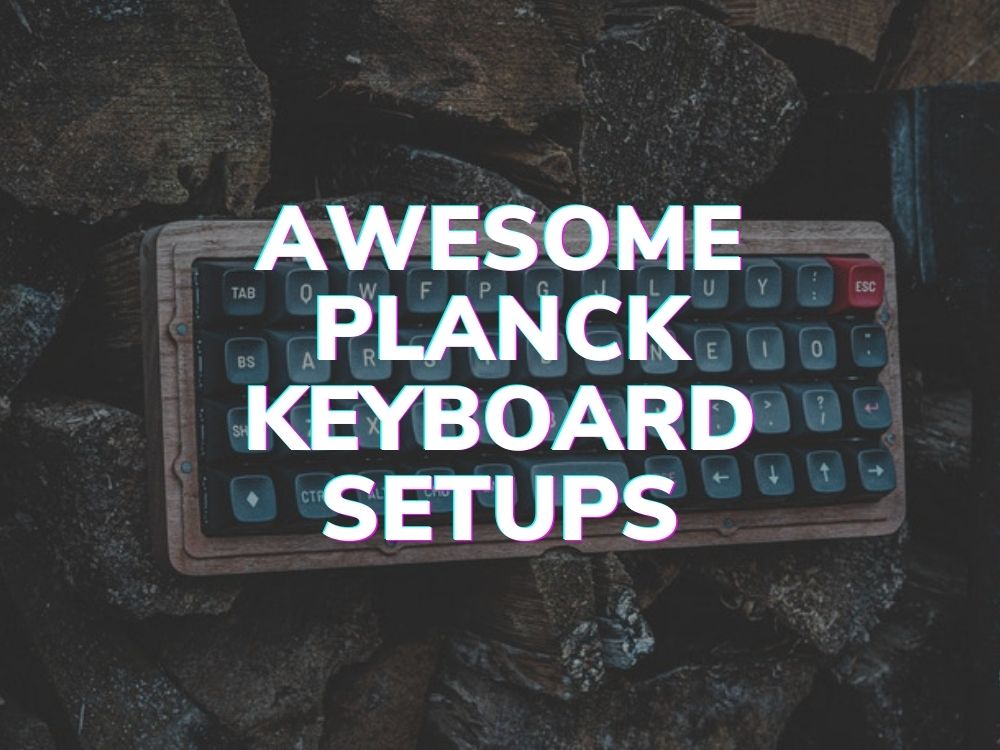
An ortholinear keyboard uses a perfect grid layout. Every key is the same size (usually 1u, or 1 unit wide), and every column is a straight vertical line. No row-to-row offset, no staggered shifts — just a clean grid.
The "ortho" part of the name means "perpendicular" or "at right angles." Each column meets each row at exactly 90 degrees, which is also how the bones in your fingers actually move — straight up and down, not at the diagonal angle a staggered keyboard forces them into.
Most ortholinear keyboards are also small. Common sizes are 40% (around 47 keys, like the OLKB Planck or Chosfox Geonix Rev.2) and 50% (around 59 keys, like the Preonic or MechDIY 59). The compact size pairs naturally with the grid — fewer keys means tighter columns means a more focused typing experience.
Quick note on terminology: "Ortholinear" and "ortho" are used interchangeably. "Ortholinear keyboard" and "ortho keyboard" mean the same thing.
Ortholinear vs Staggered: Head-to-Head Comparison
| Factor | Ortholinear | Staggered |
|---|---|---|
| Layout | Perfect grid, 1u keys | Row-by-row offset |
| Ergonomics | Aligned with natural finger movement | Forces diagonal finger reach |
| Learning curve | ~1–2 weeks to retrain muscle memory | None — most people already know it |
| Typing speed (long-term) | Equal or slightly faster for most users | Familiar baseline |
| Typing speed (first month) | Slower until retrained | Normal |
| Available keyboards | Limited but growing | Vast — every retail keyboard |
| Keycap compatibility | Needs sets with 1u modifiers | Standard sets work |
| Best for | Long typing sessions, programmers, RSI concerns | Compatibility, gaming, shared computers |
| Compact options | Tons — 40%, 50% are common | Fewer in compact sizes |
The Real Trade-Offs
Comparison tables look clean, but real-world decisions hit messier territory. Here's what actually matters when you're choosing between the two.
1. The Learning Curve Is Real (But Short)
If you're a competent touch typist on a staggered board, your first day on an ortho keyboard will feel like learning to type all over again. Your fingers will hit the wrong keys constantly because they're trained to reach diagonally. Expect a 30–50% drop in typing speed for the first 2–3 days.
By day 7, most typists are back to about 80% of their normal speed. By week 2–3, most are at parity or slightly faster. The retraining is real but short.
If you can't afford to be slow at work for a week, this is a meaningful constraint. If you can absorb it, the long-term gain is worth the short-term pain.
2. Ortho Is More Comfortable, But Only If You Type a Lot
Ortholinear's ergonomic advantage is most visible during long typing sessions — writing code, drafting documents, anything where you type for hours at a stretch. The straight vertical columns mean your fingers move up and down rather than at an angle, which over time reduces strain on the wrist tendons.
If you're mostly using your computer to browse, watch videos, and occasionally type a message, you'll feel the difference much less. The ergonomic case for ortho is strongest for programmers, writers, and anyone with existing wrist or RSI concerns. For casual users, the upside is smaller.
3. Compatibility Friction Is Almost Always Underestimated
Switching to ortho means you'll occasionally type on someone else's staggered keyboard — at a colleague's desk, on a laptop at an airport, on a friend's setup. The retraining works both ways, and your fingers will get confused for a few minutes each time. Most people adjust quickly, but it's a real cost.
The same applies if you frequently switch between an ortho board and a laptop's built-in (staggered) keyboard. For laptop-heavy users, this is the single biggest argument against full ortho commitment.
4. Keycap Compatibility Is a Hidden Tax
Most off-the-shelf keycap sets are designed for staggered layouts and ship with 1.25u, 1.5u, 2.25u, and other non-1u modifiers. On an ortho board where every key is 1u, those modifiers don't fit. You either need:
- A keycap set that explicitly includes 1u modifier kits (Drop MT3 sets used to, sets like Signature Plastics DSA sets still do), or
- A dedicated ortho-friendly profile like DSA where every key is the same shape
Our keycaps page lists current ortho-compatible sets. The short version: budget about 20–30% more for a good keycap set on an ortho board than on a staggered one, just because the inventory is smaller.
Who Should Choose Ortholinear?
You'll get the most out of an ortholinear keyboard if you:
- Type for hours daily — programmers, writers, transcriptionists, customer support
- Have wrist or RSI concerns — the straight columns reduce ulnar deviation
- Want a small, portable keyboard — 40% and 50% ortho boards are extremely compact
- Enjoy tinkering — most ortho boards run QMK or VIA and reward customization
- Don't switch between many keyboards — full commitment beats half-commitment
Who Should Stick With Staggered?
Staggered is the right call if you:
- Switch between laptops and external keyboards constantly — the muscle-memory conflict isn't worth it
- Game competitively — most game UIs and tutorials assume staggered layouts
- Type infrequently — the ergonomic gain doesn't apply if you're not at the keyboard for hours
- Need full keyboards (full-size, TKL) for work — ortho is dominated by 40% and 50% sizes
- Share your computer with others — non-ortho users will struggle on an ortho board
What to Buy in 2026 If You Want to Try Ortho
The ortholinear keyboard landscape in 2026 looks very different from a few years ago — Drop closed its ecommerce store in March, taking the easiest Planck distribution channel with it. The good news: there are more options than ever, and the newer boards arguably exceed the Planck on every spec line.
Easiest Entry Point: KBDcraft Israfel ($65)
The KBDcraft Israfel is a 50% ortho kit at around $65 that ships with switches and keycaps included. LEGO-compatible, low-profile, and one of the cheapest ways to actually try ortho without going DIY.
Best Overall in 2026: Chosfox x Masro Geonix Rev.2 ($112)
The Chosfox x Masro Geonix Rev.2 is our current top recommendation: 40% low-profile aluminum board with tri-mode wireless, hot-swap Choc v2 sockets, and full QMK/VIA support. It's the closest direct successor to the Planck in 2026.
Classic Planck-Style Experience: YMDK Air40 ($103)
If you want the original Planck experience with current support, the YMDK Air40 is the closest available. Aluminum case option, hot-swap, QMK/VIA, USB-C.
Preonic-Style (50% with Number Row): MechDIY 59 ($175)
If 40% feels too small, the MechDIY 59 gives you Preonic-style 50% layout with hot-swap, VIA support, and an acrylic case.
Browse the full ortholinear keyboards page for filters by price, firmware, and wireless support, or read our ultimate guide to ortholinear keyboards for a deeper walk-through of the layout and how to pick.
FAQ: Ortholinear vs Staggered
Is an ortholinear keyboard faster than a staggered keyboard?
After the learning curve, most typists land at about the same speed or slightly faster on an ortholinear keyboard. The gain isn't huge — typically 5–10% — but it's measurable. The bigger long-term benefit is reduced finger and wrist strain, not raw words-per-minute.
How long does it take to learn an ortholinear keyboard?
Most touch typists hit 80% of their normal speed within a week, and full parity within 2–3 weeks. Expect significant errors for the first 2–3 days as muscle memory rebuilds.
Can I use any keycap set on an ortholinear keyboard?
Most MX-compatible keycap sets will fit the switches on an ortho board, but the included key sizes are usually designed for staggered layouts. For a 40% or 50% ortho board you specifically want a set that includes 1u modifiers (or a uniform-profile set like DSA where every key is the same shape). See our ortholinear keycaps page.
Are ortholinear keyboards good for gaming?
For most non-competitive gaming, yes. Movement keys (WASD or layered alternatives) work just as well on a grid layout. For competitive FPS players, the learning curve and the lack of a number row on 40% boards is a real adjustment — most pros stay on staggered.
Are split keyboards always ortholinear?
No — split keyboards split a keyboard into two halves, but each half can be either staggered or ortho. Examples of staggered splits include the Keychron Q11 and the Kinesis Advantage 2. Examples of ortho splits include the ZSA Voyager, Dygma Defy, and DIY boards like the Corne and Sofle. See our split keyboards page for the full comparison.
What is column-staggered vs row-staggered?
Row-staggered is the traditional layout where each row shifts horizontally relative to the row above it — this is what most retail keyboards use. Column-staggered (also called "true ergonomic") is a hybrid where columns are shifted vertically to match different finger lengths. Most modern ergo splits like the Glove80 and Dygma Defy use column-staggered layouts. Pure ortholinear (Planck, Geonix) uses neither — every column is perfectly aligned.